Seafront rides, quiet lanes, and a café stop whenever you feel like it—your Focus Aventura makes exploring Mallorca a little easier.
The electric motor gives your pedalling a helping hand, the rack bag carries your essentials, and the phone mount keeps your route in view. This guide explains how to use the assistance, change gears, charge the battery, and look after your bike during your rental.
Keep it handy for whenever you need a quick reminder.
⚡ Quick Answers — Find What You Need
🎒 What’s included with my bike?
⚙️ How do I use the motor assistance and gears?
🔋 How do I charge the battery?
🧴 Does my chain need any care?
🛞 What should I do if I get a puncture?
☕ How do I make the most of my ride and café stops?
🆘 Something isn’t working. What now?
1. What’s Included with Your Bike?
Your Focus Aventura comes equipped for a comfortable day of exploring:
- A rear rack and bag for your belongings.
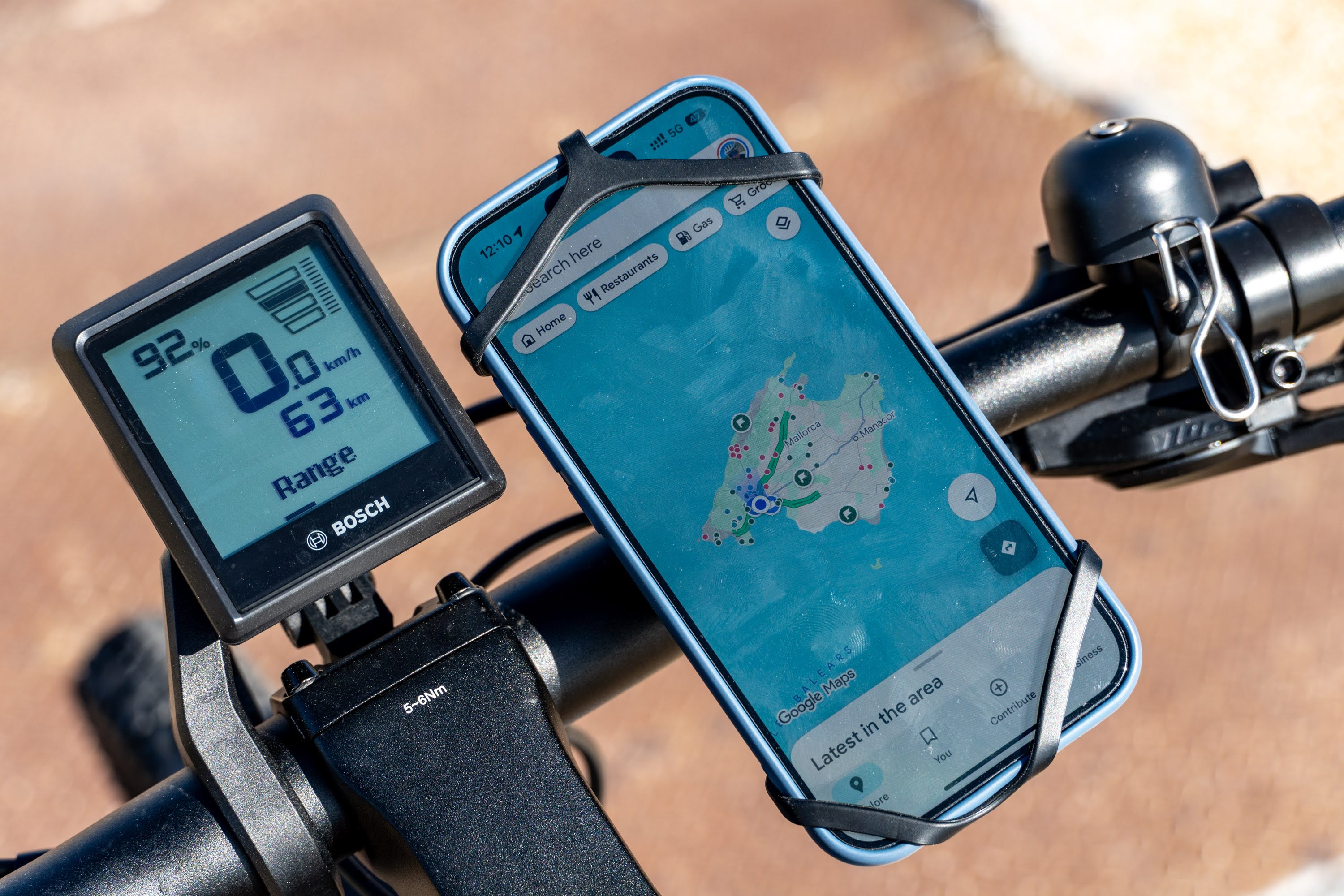
- A phone mount on the handlebars for following your route.
- A bike lock for your stops.
- A battery charger for topping up between rides.
- A saddle bag containing a spare inner tube, tyre levers, and a multitool.
- A mini pump mounted on the frame.
- Transparent protective film to help protect the frame from everyday scratches.
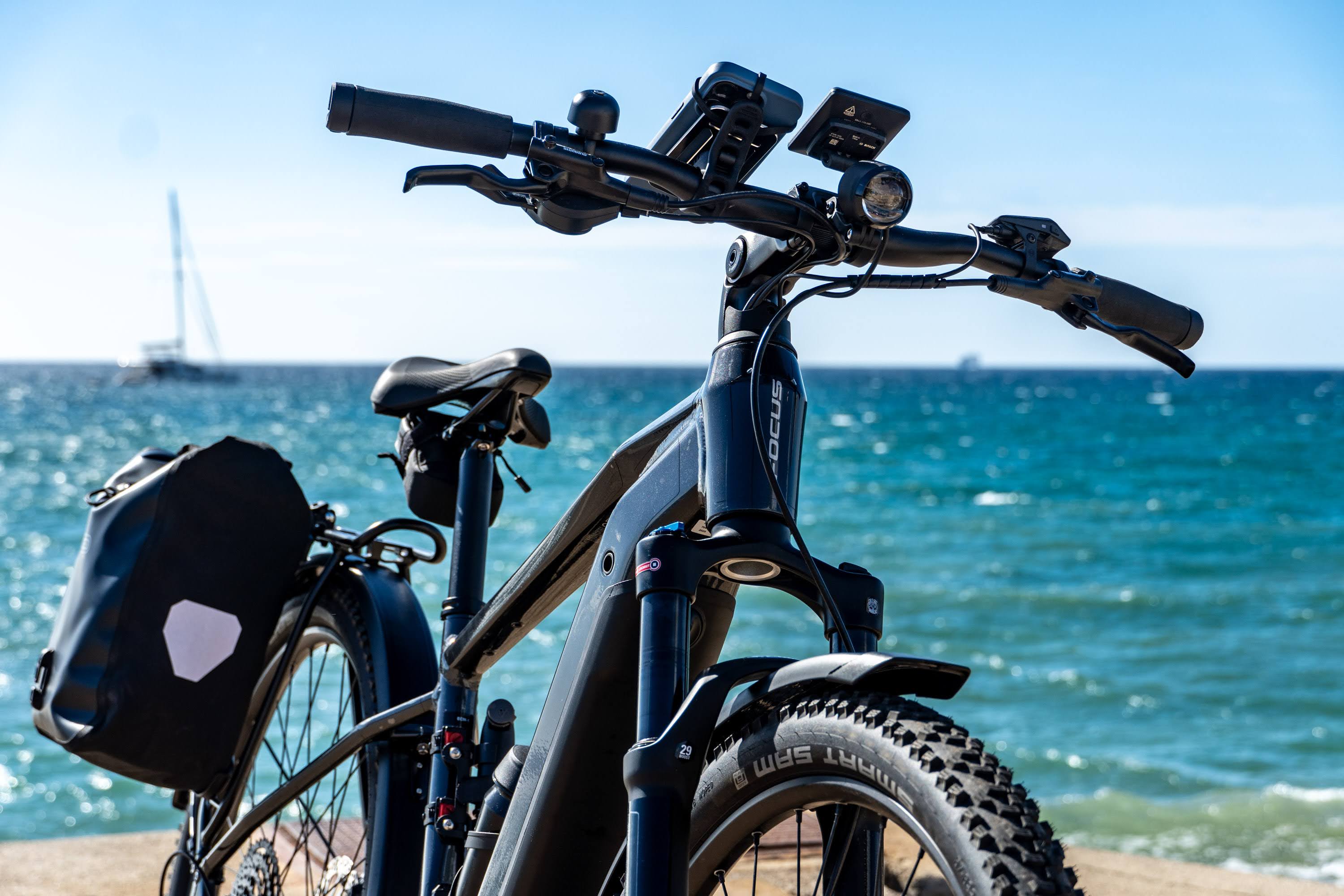
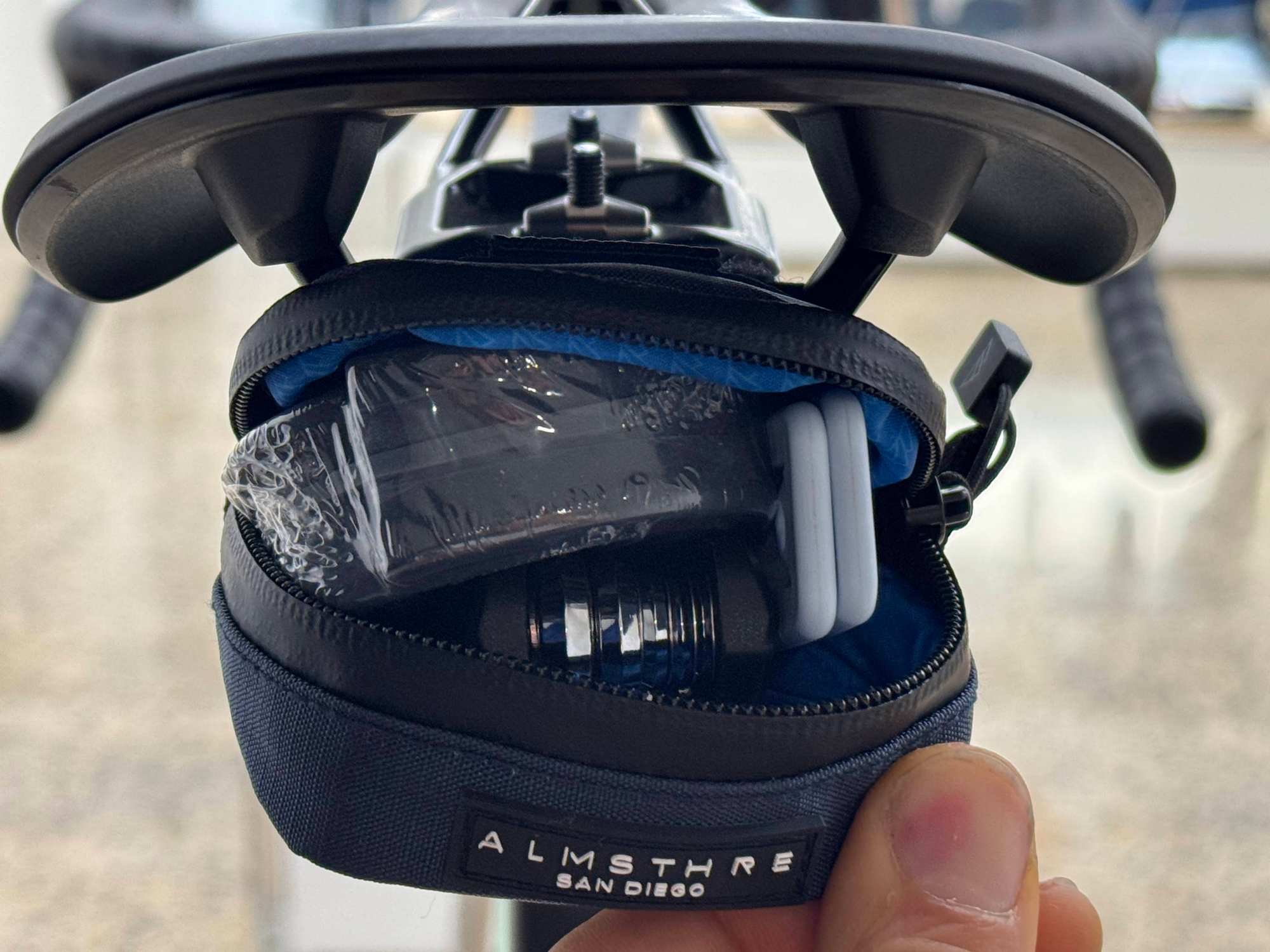
Before setting off, check how the bag attaches, where the pump is mounted, and how to use the lock.
Make sure the bag is secure and that no straps can reach the wheels. Keep heavier items low and evenly distributed.
Using the phone mount
Secure your phone in the mount using the method demonstrated during handover. Check that it is firmly held before riding. If your phone or case does not fit securely, ask us for help.
Set your destination before you start. Stop somewhere safe whenever you need to change your route or use your phone.
2. How to Use Motor Assistance and Gears
Your e-city bike has two controls that work together:
- Motor assistance controls how much help you receive.
- Mechanical gears control how easy or hard it feels to turn the pedals.
Using both will make your ride more comfortable and help you get more from the battery.
Getting started
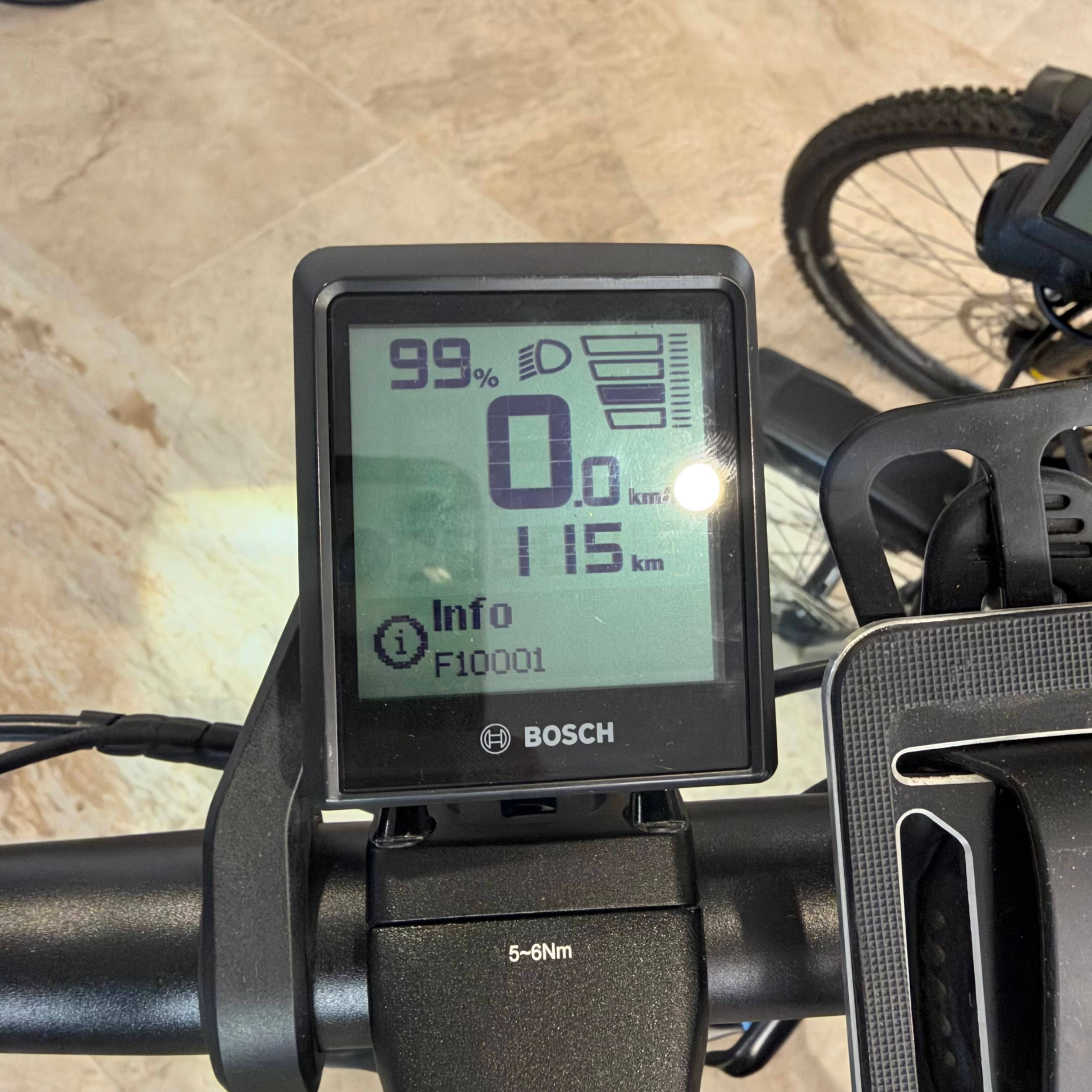
Your bike has a Bosch display and a Bosch Remote beside the left handlebar grip.
The display shows your riding information. The remote lets you switch the bike on and adjust the motor assistance.
- Briefly press the power button on the upper edge of the remote.
- Check the battery level on the display.
- Use short presses of the + or − button to select a low assistance level.
- Start pedalling gently somewhere with plenty of space.
The motor helps while you pedal. When you stop pedalling, the assistance stops.
To switch the bike off, briefly press the power button again.
Choosing the assistance level
Use the two buttons beside your left thumb:
- Briefly press + to increase assistance.
- Briefly press − to reduce assistance.
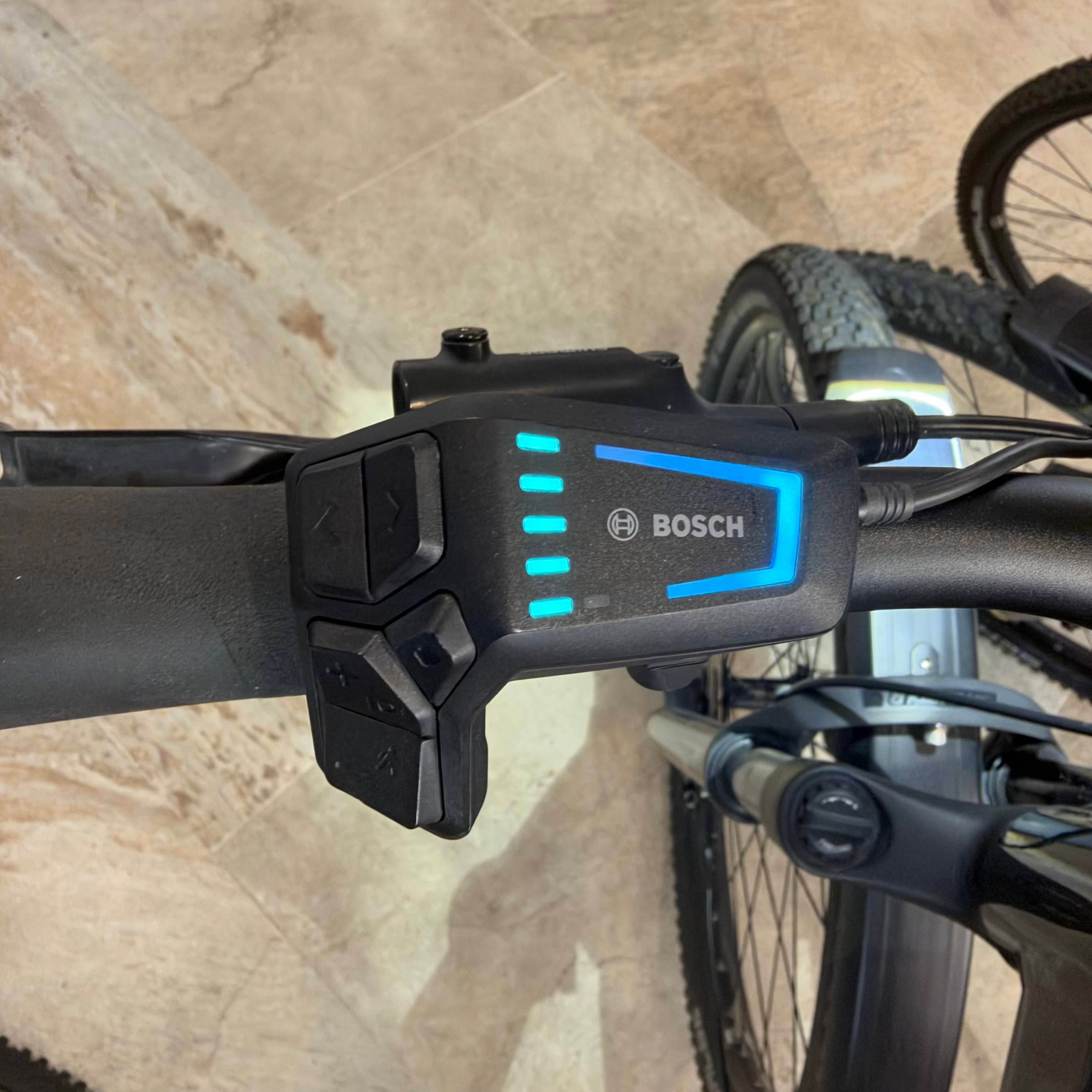
Your bike offers four assistance modes. Check the selected mode on the bike display.
Lower assistance works well on flat routes and helps conserve battery. Higher assistance gives you more help on climbs or into a headwind, but uses more energy.
Select Off if you want to pedal without motor assistance while keeping the system switched on.
Use short presses when changing assistance. Holding these buttons activates other functions: the + button also controls the lights, and the − button accesses walk assistance.
You still need to change gears
More motor assistance does not replace choosing the right gear.
Use the mechanical shifter to select:
- An easier gear for starting, climbing, or riding slowly.
- A harder gear as your speed increases and pedalling starts to feel too easy.
Keep the pedals moving while changing gear, but briefly reduce how hard you push.
On a hill, choose an easier gear before increasing the assistance. The aim is steady, comfortable pedalling rather than pushing slowly against a very hard gear.
Before stopping, shift into an easier gear while you are still moving. It makes setting off again much simpler.
3. How to Charge Your Battery
You have two charging options:
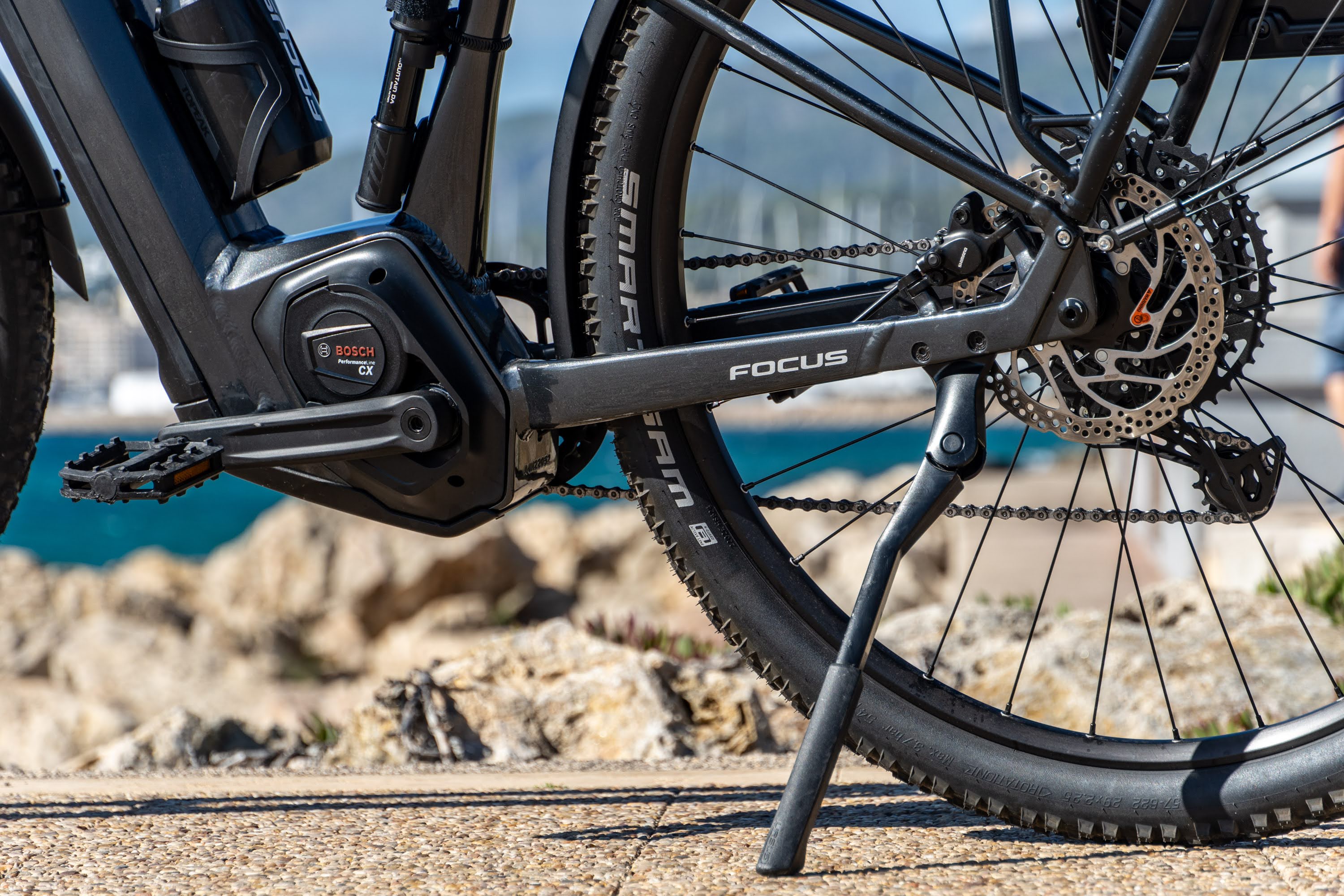
- Leave the battery in the bike and connect the charger to the bike’s charging port.
- Remove the battery and charge it separately, for example in an approved charging area at your accommodation.
Use only the charger supplied with your rental.
Charging with the battery in the bike
- Park the bike securely and switch it off.
- Check that the charging port and connector are clean and dry.
- Open the charging-port cover.
- Connect the supplied charger to the charging port and a suitable mains socket.
- Check that the battery’s charging indicator responds.
- When charging is complete, unplug the charger and close the port cover.
Never force the connector. If it does not fit easily, check its alignment.
Removing the battery to charge it
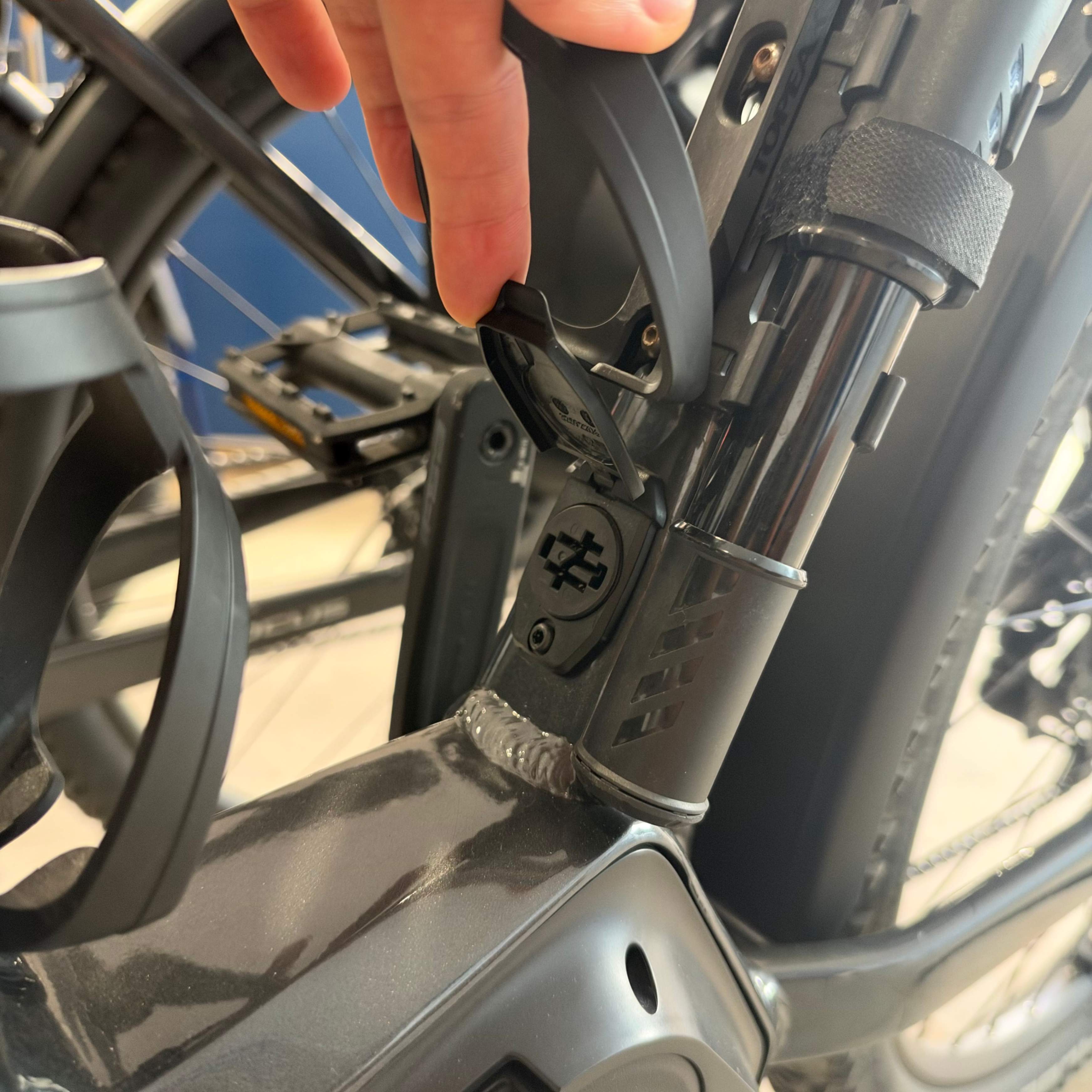
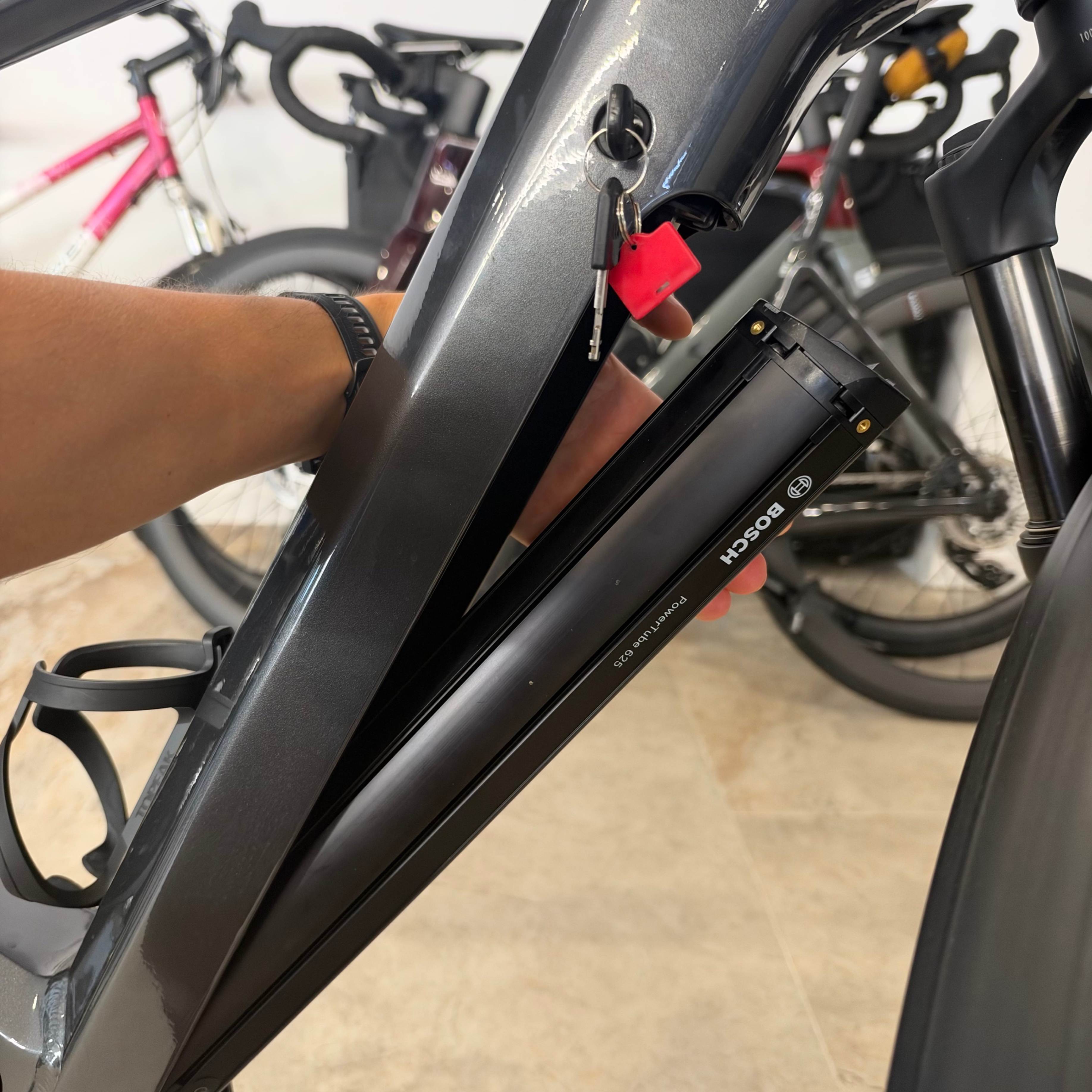
Switch off the bike first. Support the battery while unlocking it, then release and remove it using the method demonstrated during handover.
The battery is heavy, so hold it securely throughout. Do not force the lock, cover, or release mechanism.
Place the battery on a stable, dry surface and connect the supplied charger. When you reinstall it, make sure it is fully seated and locked securely before riding.
If you are unsure how to remove it, leave it installed and charge through the bike’s port, or contact us.
A few charging essentials
Charge in a dry place, away from direct sunlight and flammable materials. Let a hot battery cool before charging, keep exits clear, and stay nearby while it charges.
Do not charge a battery that is visibly damaged. Contact us instead.
Charging time depends on the battery, charger, and remaining charge. Check the indicator rather than relying on a fixed number of hours.
How far can I ride?
As a general guide, we typically estimate around 60–75 km per charge for our e-city bikes. Your actual range can be higher or lower.
Hills, headwinds, rider and luggage weight, assistance level, tyre pressure, and gear choice all affect how far the battery will take you.
Check the battery throughout your ride and leave a comfortable margin for the return journey. Any remaining-range figure on the display is an estimate that can change as conditions change.
4. Your Chain Uses Oil—Here’s How to Care for It
Our e-city bikes use oil-lubricated chains.
The chain is prepared before your rental. For most short rentals, you will not need to add lubricant.
During your rental
- Check for excessive dirt or unusual noise.
- If the bike gets wet, gently dry accessible parts of the chain with a cloth while the bike is switched off and stationary.
- Contact us if the chain needs lubrication or continues to sound dry.
Use only a suitable bicycle chain lubricant recommended by our team. Do not apply wax, household oil, or general-purpose sprays.
Keep all lubricant away from the brake discs and pads.
5. Tyres and Punctures
Your tyres help the bike feel comfortable and predictable. Take a moment to check them before each ride.
What tyre pressure should I use?
Use the pressure recommended by our team for your bike, weight, and luggage.
If a tyre looks unusually soft or the bike feels unstable, stop and check it. Do not continue riding on a flat tyre.
If you get a puncture
- Slow down and stop somewhere safe.
- Switch off the bike.
- Check which tyre has lost air and look for visible damage.
- Contact us if you are unsure how to repair it.
The spare inner tube and tools are there to help with a repair when appropriate. However, an e-city bike is heavier to handle than a conventional bike, and wheel removal may be unfamiliar.
Only attempt a repair if you know how to remove and securely reinstall the wheel. Otherwise, let us advise you.
If the tyre has a large cut, the wheel looks damaged, or the tyre keeps losing air, do not continue riding.
6. Tips for a Better E-City Ride
Let the gears and motor work together
Start in an easy gear, pedal steadily, and increase assistance when you need it.
On flatter sections, try reducing the assistance. You may find that a gentle boost is enough to keep the ride comfortable.
Get familiar with the bike before busy streets
Practise starting, stopping, turning, and changing gears in a quiet area.
The bike carries more weight than a conventional bicycle. Give yourself time and space to slow down, especially with luggage or on a descent.
Check your lights
With the bike switched on, press and hold the + button for more than one second to switch the lights on. The button also carries a small light symbol.
Check that both the front and rear lights are illuminated before riding in poor visibility.
Where switching the lights off is enabled, holding the same button again turns them off. Some bikes are configured to keep their lights on.
Make café stops simple
Before leaving the bike:
- Switch it off.
- Lock the frame to a suitable fixed bike stand, securing a wheel too where the lock allows.
- Remove your phone from the handlebar mount.
- Put loose accessories and belongings into the removable bag.
- Take the bag, phone, valuables, and any keys with you.
Do this even for a quick stop. A bag attached to the bike is convenient for riding, but it is not secure storage.
Plan for the return journey
Keep an eye on the battery, especially if the ride out includes a tailwind or a long descent. The return can require more energy.
Take water and a charged phone. Download your route before leaving if you may need it without mobile reception.
Leave enough time for a relaxed ride back—and that extra coffee stop.
7. Troubleshooting and Support
The bike will not switch on
Briefly press the power button on the LED Remote and check whether its indicator lights respond.
Check the main battery level. If you removed the battery for charging, make sure it is correctly seated and locked in place.
If the bike still does not switch on, contact us. Do not force the battery or its fittings.
The remote lights up, but the display stays blank
The Intuvia 100 display has its own battery and a wireless connection to the bike.
A blank display does not necessarily mean the bike’s main battery is empty. Contact us so we can help identify the cause.
The display is on, but I cannot feel assistance
Check that an assistance mode is selected rather than Off, and that the main battery has charge.
The motor assists while you pedal. Assistance also stops above approximately 25 km/h; that is normal. You can still pedal faster using your own effort.
If assistance is missing at lower speeds while you pedal, stop safely and contact us.
The battery seems to be draining quickly
Try a lower assistance level and an easier gear so you can pedal smoothly.
Consider the route, wind, and luggage. Check whether a tyre looks soft. If the battery level drops unexpectedly or you cannot comfortably complete your route, contact us.
The battery runs out
You can still pedal the bike without motor assistance, but hills and starts will require more effort.
The mechanical gears still work. Choose an easier gear and contact us if you need advice about getting back.
An error appears on the display
Stop somewhere safe and take a photo of the message or code. Send it to us so we can advise you.
Something feels loose, damaged, or unsafe
Stop riding. If the brakes feel wrong, a wheel is damaged, or the bike has taken a fall, contact us before continuing.
Need help? We're here.
Our team at Echelon Cycling Hub is happy to help with questions about your bicycle or equipment.
Phone: +34 623 156 763
Website: https://www.echeloncyclinghub.com
When contacting us about a technical issue, a photo or short video can help us understand the problem faster.
Ready to Ride?
Your bike has been professionally prepared, checked and equipped for your Mallorca adventure.
We hope this guide gives you everything you need to ride with confidence.
Now it's time for the best part: discovering Mallorca on two wheels.
Not just cycling. A way to explore.
The Echelon Cycling Hub Team